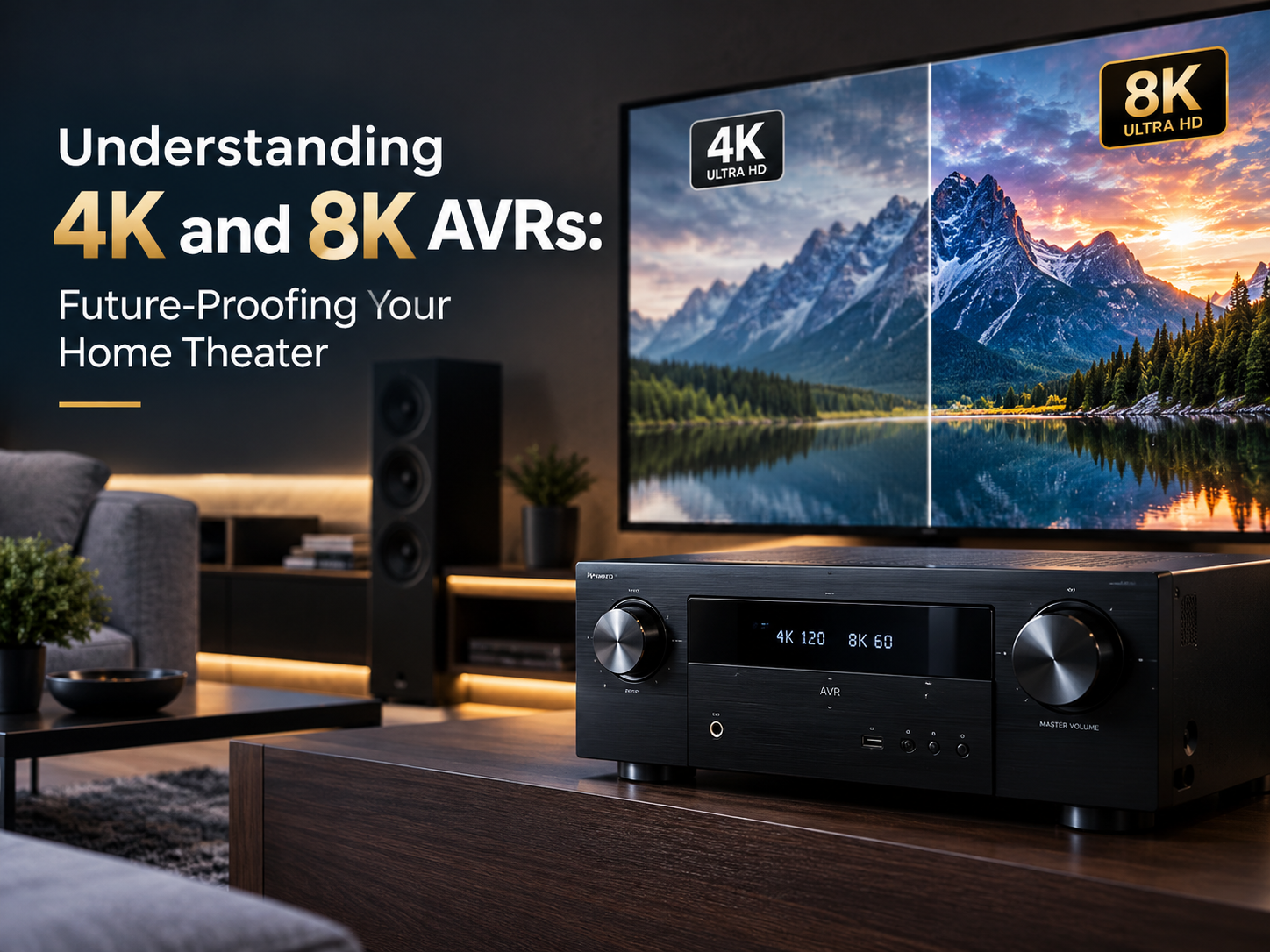
When building a home theater, most people spend a lot of time choosing the right TV or projector and speakers. But there is another component that plays a major role in bringing everything together: the AV Receiver, or AVR.
The AVR is responsible for processing audio and video signals from your different devices and sending them to the display and speakers. As home entertainment technology continues to improve, video resolutions such as 4K and 8K are becoming increasingly important.
Choosing an AVR that supports the right video standards can help you avoid compatibility issues and make your home theater ready for future upgrades.
What Is an AVR?
An AV Receiver is the central hub of a home theater system. It connects devices such as Blu-ray players, gaming consoles, streaming devices, set-top boxes, TVs, and projectors with your speaker system.
A modern AVR can handle several important functions:
- Process surround sound formats
- Connect multiple HDMI devices
- Pass high-resolution video to your TV or projector
- Support technologies such as Dolby Atmos and DTS:X
- Provide network and streaming features
- Manage different audio and video sources
Because so many devices connect through the AVR, its video capabilities are just as important as its audio features.
What Does 4K Mean for an AVR?
4K refers to a video resolution of approximately 3840 × 2160 pixels for consumer displays. It provides significantly more detail than Full HD and has become common in modern televisions, projectors, streaming services, gaming consoles, and Blu-ray players.
However, simply buying a 4K-compatible AVR is not always enough.
A good 4K AVR should support the video features you actually plan to use, including appropriate HDMI bandwidth and modern HDR formats.
For example, if you are connecting a 4K gaming console, you may want support for higher refresh rates and gaming features rather than basic 4K video pass-through alone.
Why 8K AVRs Are Becoming Important
8K provides a resolution of approximately 7680 × 4320 pixels, offering four times as many pixels as 4K.
Although 8K content is still less common than 4K content, 8K-compatible televisions, projectors, gaming hardware, and other devices are already available.
This is where an 8K AVR can make sense for someone building a premium home theater today.
Instead of replacing the receiver when upgrading to an 8K display or compatible source device later, an AVR with suitable 8K connectivity can provide greater flexibility.
However, future-proofing does not mean simply looking for the “8K” label. The actual HDMI specifications and supported features matter.
4K vs 8K AVR: What Should You Look For?
| Feature | 4K AVR | 8K AVR |
| 4K video support | Yes | Yes |
| 8K video support | Usually No | Yes |
| HDMI connectivity | Depends on model | Generally newer HDMI capabilities |
| HDR support | Depends on model | Depends on model |
| Gaming features | Model dependent | Often includes newer gaming support |
| Best suited for | Current 4K systems | Premium and upgrade-ready systems |
The important point is that AVR capabilities vary considerably between models. Always check the detailed specifications rather than choosing a receiver based only on its resolution label.
HDMI Is More Important Than the Resolution Label
When choosing an AVR, HDMI specifications deserve special attention.
Your AVR acts as a connection point between your source devices and display. If the receiver cannot handle the signal coming from a source device, you may not be able to take full advantage of your TV, projector, or gaming console.
Depending on your requirements, look for features such as:
- HDMI 2.1 connectivity
- Appropriate HDMI bandwidth
- 4K at higher refresh rates
- 8K video pass-through where required
- HDR support
- eARC
- VRR
- ALLM
- Gaming-focused HDMI features
Not every HDMI port on every AVR necessarily supports the same features, so check the manufacturer’s specifications before making a purchase.
HDR and Video Quality Matter Too
Resolution is only one part of picture quality.
High Dynamic Range (HDR) can improve the difference between bright and dark areas of an image while providing better color reproduction.
Depending on the AVR and your source/display combination, you may encounter formats such as:
- HDR10
- Dolby Vision
- HLG
- HDR10+
If you are investing in a premium home theater, it is worth checking that the AVR supports the HDR formats required by your display and source devices.
4K and 8K for Gaming
Gaming is one of the areas where newer HDMI capabilities can make a noticeable difference.
Modern gaming consoles and high-end PCs can take advantage of features such as higher refresh rates, Variable Refresh Rate (VRR), and Auto Low Latency Mode (ALLM).
For example, a gamer with a 4K display may want an AVR that can handle 4K at 120Hz while maintaining the required gaming features.
If you are planning to upgrade to an 8K gaming display in the future, choosing an AVR with suitable 8K and HDMI capabilities can provide additional flexibility.
Don’t Forget the Projector
AVR selection is particularly important in dedicated home theaters using projectors.
Projectors can have different requirements from televisions, and the AVR needs to pass the appropriate video signal from your source devices to the projector.
Before purchasing an AVR, check:
- Projector resolution
- Supported refresh rates
- HDR compatibility
- HDMI requirements
- Cable length between AVR and projector
- Source device specifications
For longer HDMI cable runs, proper cable selection and installation become especially important, particularly when handling high-bandwidth 4K or 8K signals.
Should You Buy a 4K or 8K AVR?
The answer depends on your current equipment and future plans.
A 4K AVR can be a sensible choice if:
- Your entire system is based around 4K
- You do not plan major upgrades soon
- Your source devices do not require advanced HDMI features
- You want to control the overall system cost
An 8K AVR may be worth considering if:
- You are building a premium home theater
- You are purchasing an 8K display
- You use modern gaming hardware
- You want newer HDMI capabilities
- You expect to upgrade your display or source devices in the coming years
The key is not to pay extra for features you will never use. At the same time, buying an AVR with limited connectivity can become expensive if you need to replace it during your next upgrade.
Match the AVR With Your Entire Home Theater
Your AVR should not be selected independently.
A well-designed home theater considers the complete signal chain:
Source Device → AVR → TV/Projector
And for audio:
Source Device → AVR → Amplifier/AVR → Speakers
Every component needs to work together.
For example, buying an 8K TV does not automatically mean you need an 8K AVR. If your source devices connect directly to the TV and audio is returned through eARC, your requirements may be different.
Similarly, if multiple source devices are routed through the AVR, the receiver’s HDMI capabilities become much more important.
Future-Proofing Doesn’t Mean Buying the Most Expensive AVR
Future-proofing is about choosing the right features, not simply buying the most expensive receiver available.
Before purchasing, consider:
- What resolution does your current display support?
- What resolution will your next display likely support?
- Which gaming devices or media players will you connect?
- How many HDMI sources do you need?
- Do you need 4K at 120Hz?
- Do you need 8K pass-through?
- Do you need Dolby Vision or other HDR formats?
- Will you use eARC?
- Are you planning to add Dolby Atmos speakers?
- Do you expect to expand the system later?
Answering these questions makes it much easier to choose an AVR that fits your actual requirements.
Common Mistakes When Choosing a 4K or 8K AVR
Choosing Based Only on “4K” or “8K”
Resolution alone doesn’t tell you everything about an AVR. HDMI bandwidth, refresh rates, HDR formats, eARC and gaming features can be equally important.
Ignoring HDMI Port Specifications
Some AVR models have different capabilities across their HDMI inputs and outputs. Always check which ports support the features you need.
Buying for Today Only
A receiver that works perfectly with your current setup may become restrictive after a display or gaming upgrade.
Buying Too Much
Future-proofing does not mean purchasing every available feature. Choose an AVR based on your room, devices, speakers and realistic upgrade plans.
Why Professional Home Theater Planning Helps
A home theater involves much more than selecting individual products.
The AVR needs to work correctly with the speakers, display, source devices, HDMI infrastructure and room configuration. Poor equipment matching or incorrect installation can prevent you from getting the performance you expected.
A professional AV integrator can help you evaluate your current equipment, understand your future requirements and select an AVR that fits the complete system.
At AudioCare, we help customers plan and install complete home theater and AV solutions based on their room, equipment, and entertainment requirements. From AVR and speaker selection to projector/display connectivity and installation, the goal is to create a system that works as one complete setup.
Final Thoughts
4K has become a standard part of modern home entertainment, while 8K represents the next step in display technology. But choosing the right AVR is about more than simply selecting a receiver marked “4K” or “8K.”
HDMI capabilities, refresh rates, HDR support, eARC, gaming features, audio formats and future expansion should all be considered before making a decision.
If you are building a new home theater or planning to upgrade an existing setup, choosing the AVR carefully can help you get better performance today while keeping the system ready for tomorrow’s technology.
Ready to Build or Upgrade Your Home Theater?
Looking for the right AVR, speakers, projector, screen, or complete home theater solution?
📞 Call AudioCare: +91 98260 89815
🌐 Visit: www.audiocare.in
📩 Talk to us about your room and requirements, and we’ll help you plan the right AV solution.