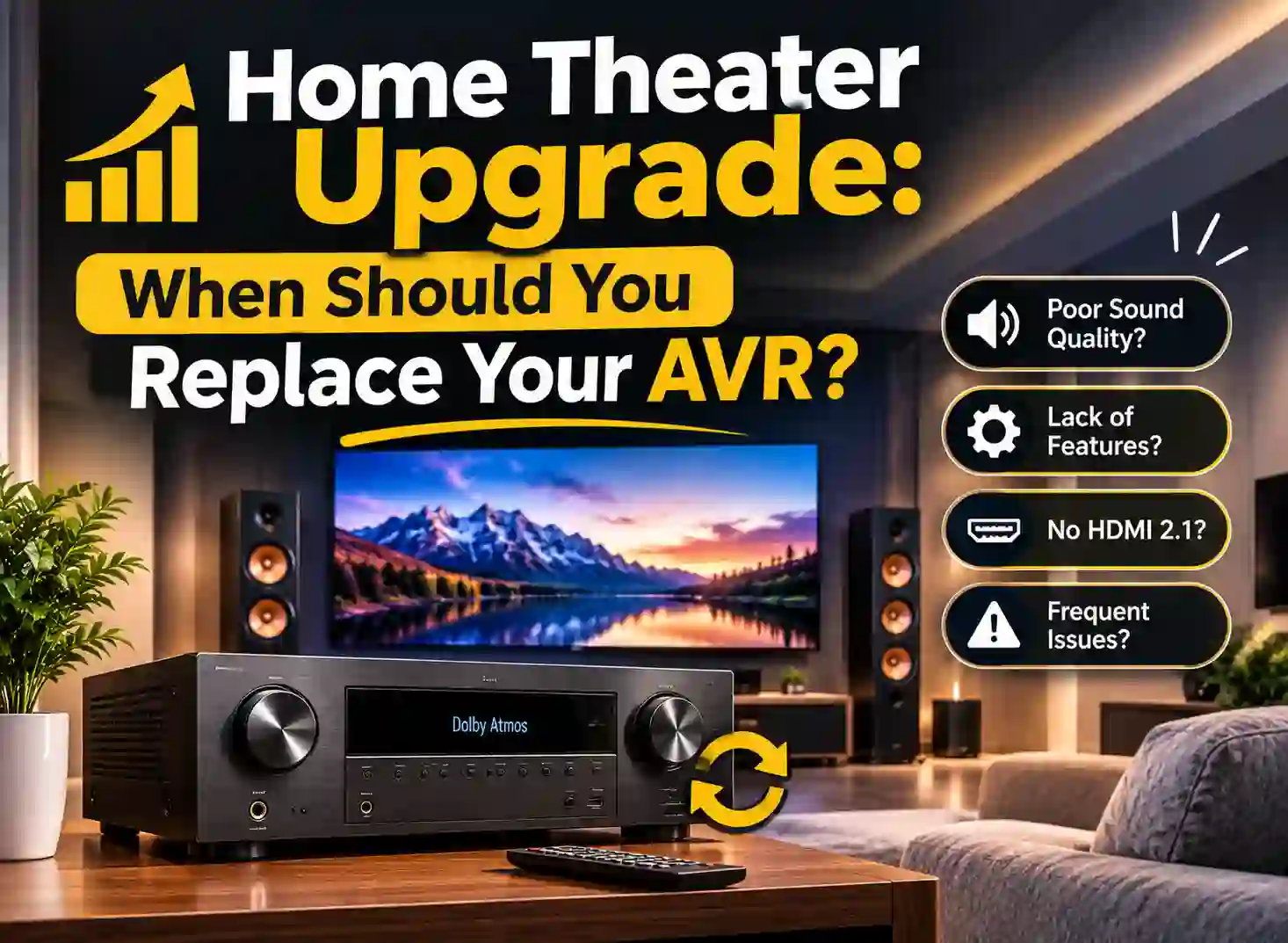
A home theater system is made up of several components, but the AV receiver (AVR) is often the heart of the entire setup. It connects your speakers, television or projector, gaming console, streaming devices and other audio-video equipment. It also processes surround sound formats, manages audio signals and distributes power to the speakers.
However, home entertainment technology continues to evolve. New televisions support advanced HDMI features, streaming platforms offer immersive audio formats, and gaming consoles demand higher video bandwidth and refresh rates. As a result, an AV receiver that worked perfectly a few years ago may no longer support the features you want today.
This is where a home theater AVR upgrade becomes worth considering.
But how do you know whether your receiver genuinely needs replacement? Is it better to upgrade the entire system or simply add a new component? And what specifications should you look for in a modern AVR?
Let’s explore the signs that indicate it may be time to upgrade your home theater receiver.
What Does an AV Receiver Do in a Home Theater?
An AV receiver performs several important functions. It acts as the central connection and processing unit for a home theater system.
Its main responsibilities include:
- Receiving audio and video signals from connected devices.
- Processing surround sound formats such as Dolby Digital, Dolby TrueHD and DTS-HD Master Audio.
- Supporting immersive formats such as Dolby Atmos and DTS, depending on the model.
- Amplifying audio signals to drive passive speakers.
- Switching video signals between connected devices and the display.
- Managing speaker configuration, crossover settings and channel levels.
- Providing room correction and audio calibration features on supported models.
For example, when you watch a movie through a streaming device, the AVR receives the audio signal, decodes the supported format and sends the appropriate channels to the front, centre, surround and height speakers.
If your receiver cannot process a particular audio format or pass through a required video signal, you may not get the full benefit of your other home theater equipment.
7 Signs That Your Home Theater AVR Needs an Upgrade
An older receiver does not automatically become unsuitable. If it continues to meet your requirements and works reliably, there may be no reason to replace it.
However, the following situations can indicate that an upgrade would provide meaningful benefits.
1. Your AVR Does Not Support Dolby Atmos or DTS
One of the most common reasons for upgrading an older home theater receiver is the need for immersive surround sound.
Traditional 5.1 and 7.1 systems distribute sound around the listener at ear level. Dolby Atmos and DTS can add height information, allowing compatible systems to create a more three-dimensional audio experience.
For example, a Dolby Atmos 5.1.2 configuration includes five ear-level channels, one subwoofer channel and two height channels.
If your existing AVR supports only conventional surround formats, it will not be able to process a native Dolby Atmos or DTS soundtrack as intended.
A newer receiver may be worth considering if you are planning to add ceiling speakers, height speakers or a more advanced surround sound configuration.
Before purchasing, check the receiver’s actual channel processing and amplification capabilities. A model advertising multiple processing channels may not necessarily have enough built-in amplifier channels to power all of them.
2. Your AVR Does Not Support HDMI 2.1 Features
Modern televisions, gaming consoles and media devices increasingly rely on advanced HDMI capabilities.
An older receiver may support HDMI video pass-through but lack features required by newer equipment.
Depending on the model, an upgrade may provide:
- Support for compatible 4K video at higher refresh rates, including 120Hz.
- 8K video pass-through on supported connections.
- Variable Refresh Rate (VRR).
- Auto Low Latency Mode (ALLM).
- Enhanced Audio Return Channel (eARC).
- Improved HDMI bandwidth and compatibility.
These features can be particularly useful for homeowners who use a PlayStation 5, Xbox Series X or a modern gaming PC.
However, HDMI 2.1 support varies between receiver models and individual inputs. Check the supported resolution, refresh rate, bandwidth and feature compatibility rather than relying only on the HDMI version mentioned in a product description.
3. Your Existing AVR Cannot Deliver the Surround Sound You Want
As home theater requirements change, the original speaker configuration may no longer be sufficient.
You may have started with a 5.1 system and now want to expand it to 7.1.2 or 5.1.4. Alternatively, you may be planning to add additional surround or height speakers.
Your existing receiver may not have enough channels to support the new arrangement.
In such cases, upgrading to a receiver with suitable channel processing and amplification capabilities can help you expand the system.
Before buying, check:
- Number of supported processing channels.
- Number of built-in amplified channels.
- Availability of pre-outs for external power amplifiers.
- Supported Dolby Atmos and DTS configurations.
- Speaker impedance and power requirements.
This ensures that your new receiver matches the system you actually plan to install.
4. You Are Experiencing HDMI Connectivity Problems
Older receivers can sometimes create compatibility issues when connected to newer televisions, projectors and source devices.
You may experience problems such as:
- No video signal when connecting a new source device.
- Inconsistent 4K video pass-through.
- Audio not returning correctly through ARC or eARC.
- Compatibility issues with certain HDR formats.
- Limited HDMI inputs for all your devices.
First, check whether the problem can be resolved through firmware updates, compatible cables or correct HDMI settings. Sometimes the issue is caused by a connection or configuration problem rather than the receiver itself.
If the AVR has genuine hardware or bandwidth limitations, replacement may be the more practical long-term solution.
5. Your Home Theater Speakers Have Been Upgraded
Many homeowners upgrade their speakers without considering whether the existing amplifier can support them properly.
For example, you may replace compact satellite speakers with larger floorstanding speakers, add more surround channels or install a new centre speaker.
Your older AVR may still work, but it may not be the best match for the new speaker configuration.
Important factors include:
- Speaker impedance.
- Speaker sensitivity.
- Required amplifier power.
- Number of connected channels.
- Listening distance and room size.
A more capable AVR or a receiver with suitable pre-outs for external amplification may be appropriate, depending on the speakers and listening requirements.
It is important to remember that higher wattage alone does not guarantee better sound. Speaker compatibility, amplifier quality, room acoustics and correct setup all influence the final result.
6. Your AVR Has Become Unreliable
Performance and compatibility are not the only reasons to replace an AV receiver. Hardware reliability also matters.
Warning signs may include:
- Frequent overheating or unexpected shutdowns.
- Intermittent audio output.
- HDMI ports that stop working.
- Distorted sound at normal listening levels.
- Repeated protection-mode errors.
- Problems that continue even after troubleshooting.
Before replacing the receiver, have it inspected by a qualified technician. Loose connections, ventilation problems, damaged cables and other repairable faults may be responsible.
If the receiver has a major hardware failure or repairs are no longer practical, replacement may be the better option.
7. You Want Better Room Calibration and Audio Control
Room correction technology has improved considerably over time.
Modern AV receivers may offer more advanced calibration systems that measure speaker distances, levels and aspects of room response.
Depending on the model, features may include:
- Automatic speaker distance and level adjustment.
- Crossover and bass management.
- Equalisation for room-related frequency response problems.
- Subwoofer integration.
- Multiple listening presets.
- More detailed manual adjustment options.
Examples of room correction technologies include Audyssey, YPAO, Dirac Live and other manufacturer-specific systems.
An upgrade may be worthwhile if your existing receiver offers very limited calibration controls and you want more flexibility in fine-tuning your system.
However, room correction cannot completely fix poor speaker placement or major acoustic problems. Proper room planning remains important.
When You Do Not Need to Replace Your AVR
Replacing a receiver simply because a newer model is available is not always a sensible decision.
You may be able to continue using your existing AVR if:
- It supports the audio formats you regularly use.
- Its HDMI connections are compatible with your display and source devices.
- It provides enough channels for your current speaker setup.
- It drives your speakers reliably.
- You are satisfied with its sound quality.
- It has no significant hardware or connectivity problems.
For example, if you primarily watch movies through a 4K television and your existing AVR already supports the required video formats, audio decoding and speaker configuration, an upgrade may offer limited practical benefit.
It is better to identify a specific limitation before spending money on a new receiver.
What Should You Look for When Buying a New AV Receiver?
If you have decided to upgrade, focus on the features that match your home theater requirements.
| Feature | What to Consider |
| HDMI connectivity | Required 4K/120Hz, 8K or other supported video features |
| Audio formats | Dolby Atmos, DTS and other formats you use |
| Channel support | Number of processing and amplified channels |
| Amplifier capability | Compatibility with your speakers |
| eARC | Audio return compatibility with your television |
| Room correction | Calibration features suited to your room |
| Pre-outs | Options for external amplification |
| Streaming and networking | Network playback and supported services |
| Gaming features | VRR, ALLM and compatible high-refresh-rate pass-through |
Popular AVR manufacturers include Denon, Marantz, Yamaha, Onkyo and Sony. The right choice depends on the system configuration, features and budget rather than brand name alone.
Can You Upgrade Your Home Theater Without Replacing the AVR?
In some situations, you can improve the system without buying a new receiver.
Consider these alternatives first:
Upgrade the speakers: If your current AVR can drive them appropriately, better speakers may provide a more noticeable improvement than replacing the receiver.
Improve speaker placement: Adjusting speaker positions and listening distance can improve imaging and sound balance.
Add acoustic treatment: Addressing reflections and bass problems may improve clarity without changing electronic equipment.
Replace outdated HDMI cables: A cable that does not meet the required specification can create video and connectivity issues. Use a certified cable suitable for your required bandwidth and length.
Update the receiver firmware: Manufacturer updates may resolve certain compatibility and performance issues.
Add an external power amplifier: If your AVR has suitable pre-outs, an external amplifier may help expand the system’s amplification capability without replacing the receiver.
The most sensible upgrade is the one that solves the actual limitation in your existing setup.
How to Plan a Home Theater AVR Upgrade
Before purchasing a new receiver, review your existing system.
- Identify your current AVR model: Check its channel configuration, supported audio formats and HDMI capabilities.
- List your connected devices: Include your television, projector, gaming console, streaming device and other sources.
- Review your speaker configuration: Note the number and type of speakers, including any height channels and subwoofers.
- Identify the limitation: Decide whether the issue is audio format support, video connectivity, amplification, reliability or calibration.
- Plan future requirements: Consider whether you intend to add Dolby Atmos, more speakers or gaming features.
- Check compatibility: Ensure the new AVR works with your existing speakers and display.
- Arrange installation and calibration: Configure the system correctly and test all connected equipment.
This process helps prevent unnecessary purchases and ensures that the new receiver supports both your current setup and realistic future requirements.
Why Choose AudioCare for Home Theater AVR Consultation and Installation?
Choosing a new AV receiver involves more than comparing specifications and prices. The receiver must work with your speakers, display, room layout and entertainment requirements.
AudioCare provides audio system consultation and installation services for residential and commercial spaces. Its experience includes home theater systems, speakers, amplifiers, projectors, screens and customised AV solutions.
Whether you want to replace an older AVR, move from a 5.1 setup to Dolby Atmos or improve the performance of an existing home theater, a system assessment can help identify the most suitable upgrade.
Rather than replacing every component, the objective should be to understand what your current system is missing and recommend the changes that provide genuine value.
VisitAudioCare or explore it’s Audio System Consultation and Installation Services to discuss your home theater requirements.
Final Thoughts
An AV receiver can remain useful for many years if it continues to support your equipment and delivers the performance you expect.
However, if you are planning to adopt Dolby Atmos, connect modern gaming devices, use advanced HDMI features, expand your speaker configuration or resolve persistent hardware problems, an AVR upgrade may be worthwhile.
The best time to replace your receiver is when your existing model becomes a genuine limitation—not simply because a newer model has entered the market.
Review your current setup, identify your requirements and choose a receiver that complements your speakers, display and room. With the right planning and professional calibration, a well-selected AVR can significantly improve your home theater experience.